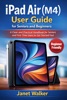
IPad Air ( M4) User Guide for Seniors and Beginners
By Janet Walker

- Release Date: 2026-04-19
- Genre: Computers
Description
Getting started with a new iPad should feel exciting, not confusing. If you’ve just purchased the iPad Air (M4) or received one as a gift, you might be wondering where to begin, what to tap, and how to make the most of it without feeling overwhelmed. This guide was created to remove that uncertainty and give you clear, simple direction from the very first page. iPad Air (M4) User Guide for Seniors and Beginners is a practical, easy-to-follow handbook designed specifically for seniors and first-time users who want to learn at their own pace. No technical jargon, no complicated explanations, just clear guidance that helps you understand your device and use it with confidence. Inside this book, you will learn how to: • Set up your iPad step by step, even if you’ve never used one before • Understand the touchscreen, buttons, and basic navigation with ease • Connect to Wi-Fi, manage settings, and personalize your device • Download, organize, and use apps for everyday tasks • Send messages, make video calls, and stay connected with family and friends • Browse the internet safely and avoid common online scams • Take photos, manage your pictures, and share memories effortlessly • Use helpful tools like Notes, Calendar, Siri, and more • Improve battery life and keep your iPad running smoothly • Troubleshoot common problems without stress or frustration Every section is written in a friendly, conversational tone that makes learning feel natural. You will find clear explanations, step-by-step guidance, and practical tips that help you build confidence as you go. This book is not just about learning features, it is about helping you feel comfortable using your iPad in your daily life. Whether you want to stay connected with loved ones, enjoy entertainment, manage your schedule, or simply explore what your device can do, this guide will walk you through it in a way that feels easy and reassuring. If you are ready to stop feeling unsure and start using your iPad with confidence, this book will be your trusted companion every step of the way.