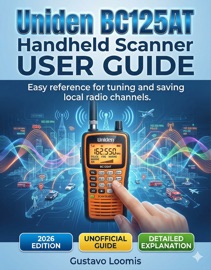
Uniden BC125AT Handheld Scanner User Guide
By Gustavo Loomis
- Release Date: 2026-02-13
- Genre: Computers
Description
⚠️ DISCLAIMER This guide is an independent publication created for educational and reference purposes. It is not affiliated with, endorsed, or sponsored by Uniden Corporation or any of its subsidiaries. Product names, logos, and brands mentioned are the property of their respective owners. Every effort has been made to ensure the accuracy of the information provided at the time of writing. However, specifications, features, and firmware may change without notice. The author and publisher assume no responsibility for errors, omissions, or any losses or damages arising from the use of the information in this guide. Readers are advised to use this material at their own discretion and to always follow the official safety guidelines and instructions provided by the manufacturer. This guide is a learning aid and does not replace the official product manual. Have you ever stared at your Uniden BC125AT and thought, “I know this little radio can do more—but I’m not sure where to start”? This user-friendly guide is here to change that. Inside this user guide, you’re taken by the hand from your first power-on all the way to organized banks, smart searches, Close Call, weather alerts, CTCSS/DCS, and more. Each chapter is written in plain, clear language and structured around real tasks—not vague theory or confusing jargon. You’ll see exactly which buttons to press, what to expect on the screen, and how to fix common mistakes. Then, with 2,500 practice questions, practice sets, and full-length practice tests, you’ll reinforce what you’ve learned until using your scanner starts to feel natural and automatic. Whether you monitor airband, public safety, rail, marine, or local services, this guide helps you unlock the true potential of the BC125AT—step by step, at your own pace, with no guesswork. 📘 WHAT YOU WILL DISCOVER INSIDE ✨ Clear, step-by-step operating instructions – Learn how to power, charge, and manage batteries, attach antennas, and get clean, stable reception from day one. ✨ Simple programming of banks and channels – Understand how to organize frequencies into logical banks so you can jump quickly between aviation, public safety, events, and more. ✨ Easy tuning, saving, and organizing local channels – Follow repeatable procedures for entering known frequencies, checking activity, naming channels, and editing or deleting them when needed. ✨ Smart searching tools explained in plain language – Use Service Search, Custom Search, Quick Search, and Close Call to discover new activity around you without feeling overwhelmed. ✨ Safe, legal, and responsible monitoring habits – Learn practical safety tips, legal basics, and monitoring etiquette so you can enjoy the hobby responsibly and respectfully. ✨ Audio quality, CTCSS/DCS, and modulation made simple – Clean up noisy channels, separate user groups on shared frequencies, and choose the right modulation for clear, comfortable listening. ✨ Weather channels and alerts you can rely on – Set up weather monitoring and alerts so you stay informed when conditions change or severe weather approaches. ✨ Practice questions that build real-world confidence – Use 2,500 practice questions, drills, and tests to turn button sequences and menu paths into automatic habits. 📦 Scroll up, get your copy now, and start mastering your Uniden BC125AT—one clear, guided step at a time.