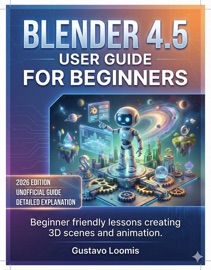
Blender 4.5 User guide for Beginners
By Gustavo Loomis
- Release Date: 2026-02-18
- Genre: Digital Media
Description
⚠️ DISCLAIMER This guide is an independent publication created for educational and reference purposes. It is not affiliated with, endorsed, or sponsored by Blender Foundation, the Blender project, or any other software developer or company. Product names, logos, and brands mentioned are the property of their respective owners. Every effort has been made to ensure the accuracy of the information provided at the time of writing. However, software interfaces, features, shortcuts, and system requirements may change with updates or new releases. The author and publisher assume no responsibility for errors, omissions, or any damages, losses, or issues arising from the use, misuse, or interpretation of the information in this guide. Readers are advised to use this material at their own discretion and to always follow the official safety guidelines, documentation, and instructions provided by the software developers and hardware manufacturers. This guide does not replace the official Blender documentation or any official product manual. Attention – Feeling overwhelmed by Blender’s interface and tools? Blender 4.5 can look intimidating, especially if you’re opening it for the very first time. This user guide book takes you by the hand and turns that confusion into clarity with simple, beginner-friendly steps designed to help you actually use the software—not just read about it. Interest – Learn by doing, not guessing. Inside this educational guide, you’ll follow clear, structured lessons that walk you through real tasks: setting up Blender, moving around the 3D viewport, building and refining models, adding materials and lights, and creating simple animations. Each concept is broken down into plain language, with step-by-step directions designed for readers who have never touched 3D software before. Desire – Build real skills and real scenes. Instead of random tips, you get a complete path from first launch to finished renders. Along the way, practice questions and structured review help you remember what you learn and apply it in your own projects—whether you’re aiming to create 3D art, simple animation clips, or assets for games and videos. You’ll come away with both confidence and a clear workflow you can repeat. Action – Your first confident Blender project starts here. If you can follow a recipe, you can follow this guide. Open Blender, follow the steps, and watch your skills grow session by session. ✨ WHAT YOU WILL DISCOVER INSIDE 👉 Beginner-first setup guidance – How to install Blender 4.5, choose settings that work on your computer, and create a comfortable workspace. 👉 Interface made simple – A clear tour of the main panels, workspaces, and navigation controls so you always know where you are and what you’re looking at. 👉 Hands-on 3D modeling – Step-by-step instructions for adding, moving, rotating, and scaling objects, then turning basic shapes into simple models. 👉 Clean, refined models – How to use essential tools and modifiers to smooth, mirror, and strengthen your shapes without breaking your geometry. 👉 Materials, color, and texture basics – Easy methods for giving your models believable surfaces using the Material tab and simple node setups. 👉 Lighting that works – Practical lighting setups that make your scenes clear, readable, and visually appealing without guesswork. 👉 Cameras and composition – How to frame your shot, choose focal length, and create camera angles that feel intentional and professional. 👉 Intro to animation – Simple workflows for animating objects and cameras using keyframes, the Timeline, and basic motion adjustments. 👉 Rendering made understandable – How to choose a render engine, set resolution and quality, and export stills or animations you can share. Click Buy Now, open Blender 4.5 alongside this guide, and take your first guided steps into 3D creation—one simple, clear instruction at a time.